VidHex — Enhance video quality with AI
 Enhance video details and clarity with AI technology and get stunning, high-quality video in any scenario.
Free Online Video Upscaler 4K Tools for Quality Restoration

Why settle for blurry or low-resolution video quality when watching a video, when you can instantaneously upscale it to a viewable quality or better 4K resolution using only a web-based tool? As video takes up a major role in today's media, which may contain valuable and helpful information or even just be for entertainment, to better maximize and enjoy the context of it to its fullest potential, a video should have a resolution quality that can showcase the video details and color for the viewer's eyes. Hence, that’s why to use a online 4K video upscaler tool is beneficial not only for restoring the lost video resolution but also for bringing out the best detail and color of the video for a more immersive video playback experience. Thus, in this guide, we prepared a comparison chart of our top five 4K online video upscaler tools, as well as an overview of each tool with pros and cons, to help readers get an impression of what to use for their video upscaling needs.

Contents:
Comparison Chart
In this section, you will have the opportunity to side by side compare the following tools side by side using this quick comparison chart we prepared in terms of the standout features of each tool we think that whats best represent the tool, as well as their supported resolution quality, to ensure that you will have the basic information of each tool when you decide to have a more thorough look at the AI 4K video upscaler tool in the following section.
| Tools | Supported Resolution | Standout Feature | Availabilty |
|---|---|---|---|
| VidHex | p to 8K and Custom Output Resolution | Wide range of video file format support and Multiple AI Models. | Free to Use Tool |
| PicWand | Up to 4K | Multiple AI Models. | Free (Limited Features) Premium (Credit-Based) |
| Clipfly | Up to 4K | Automatic Upscaling Processing. | Free (Limited Features) Premium (Credit-Based) |
| Esrgan | Up to 4K | Custom AI Workflows. | Free (Limited Features) Premium ($19/mo.) |
| Vidnoz | Up to 4K | One-Click Video Upscaling | Free (Limited Features) Premium ($26.99/mo.) |
Part 1. Best Pick: 4K Video Upscaler Tool Online
Best For: Free Versatile Online 4K AI Video Upscaler Tool
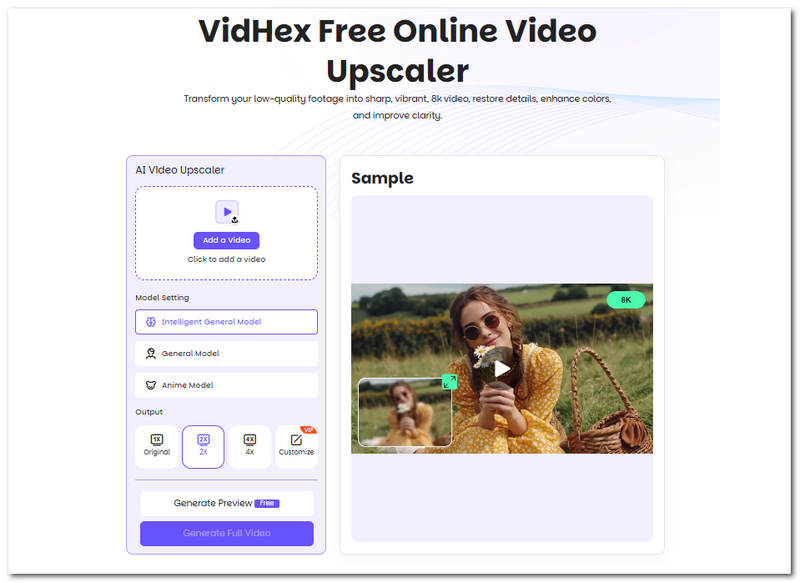
VidHex Free Online Video Upscaler Tool is a web-based tool that leverages AI to fix and restore video details and colors, and remove video flaws in the video file. This tool uses deep learning technology to upscale videos from 4K and higher effortlessly by simply allowing users to upload the video file to the webpage, while also giving them the option to switch and use various AI models, as well as customizing the output resolution to their preferred quality.
Pros
- Easy-to-use video upscaler tool.
- Safe and guaranteed to produce high quality result.
- AI -powered tool with three available AI model options.
- Customizable video output resolution quality.
- Produces crisp detail and vibrant video quality.
Cons
- Requires stable internet connectivity in order to be able to use and function well.
Part 2. 4 Popular Video Upscaler Online Tools
PicWand
Best For: Straightforward Online 4K Video Upscaler Tool
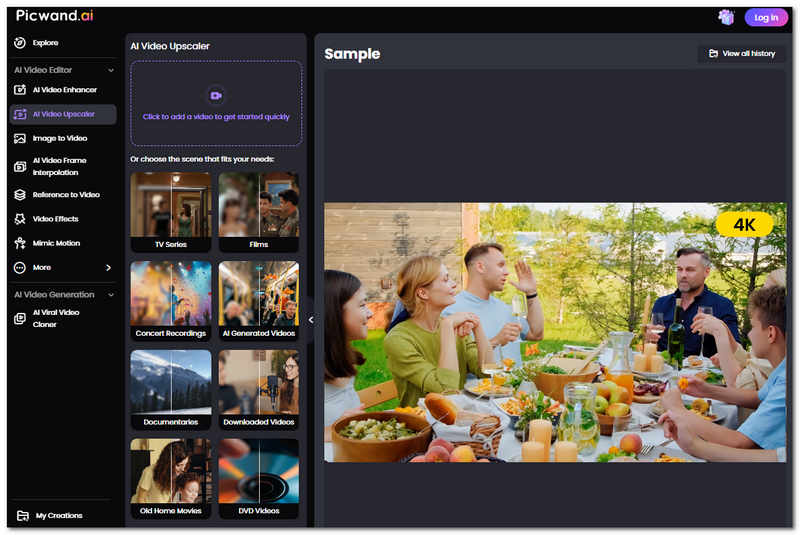
PicWand AI Video Upscaler tool is also among the list of 4K video upscaler tools that is deemed by its users a straightforward and hassle-free tool to use when it comes to needing a video upscaler tool that processes video instantaneously.
Pros
- It has an instantaneous process.
- Easy-to-use tool.
- It has three AI model settings.
- It is capable of custom output resolution.
Cons
- It uses a credit-based system.
- Requires stable internet connectivity.
Clipfly
Best For: Fast Processing 4K Video Upscaler Tool
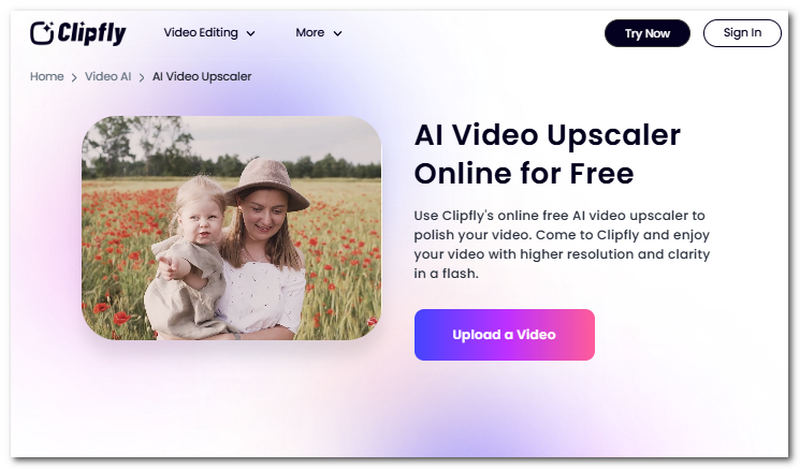
Clipfly is a free-to-use 4K video upscaler tool in a web browser that allows users to perform high-speed processing and upscaling on a video thanks to the AI that powers the tool. The AI goes through the video, allowing it to precisely address video quality with accuracy.
Pros
- Easy drag and drop of video files.
- Straight-up video upscaler tool.
- AI-powered tool.
- Automatically processes video files.
Cons
- It uses a credit-based system.
- Doesn’t have a preview function before exporting the video file.
- It lacks other customization settings in upscaling a video.
Esrgan Video Upscaler
Best For: Sharpening and Removal of Video Flaws Upscaler Tool
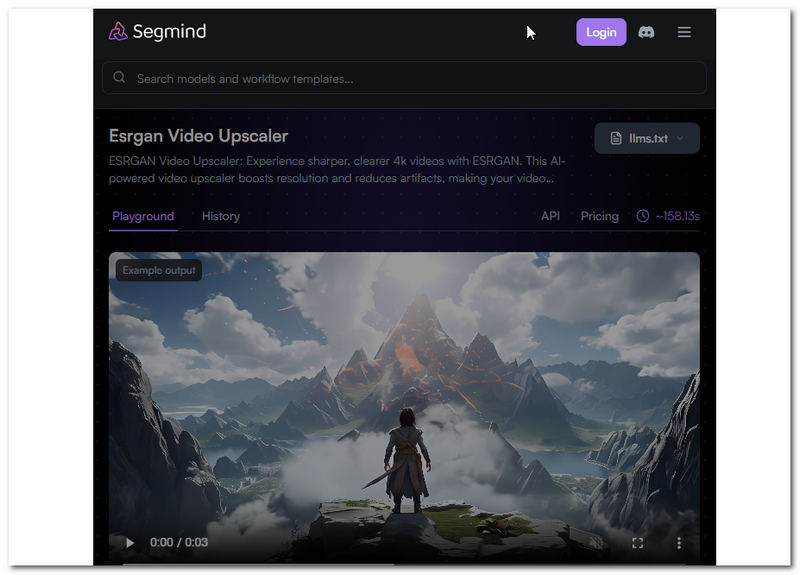
This cloud-based 4 K video upscaler tool utilizes AI to upscale and upscale 1080p to 4K or higher within a few seconds. In addition, it processes videos automatically, as it has automatic quality detection for smoother and more polished video upscaling. Hence, it also supports multiple file formats to ensure a wider range of video files can be upscaled using the tool.
Pros
- No installation of third-party software is needed.
- It doesn’t need login or the creation of an account.
- It can preserve the original video and audio quality.
- Capable of processing multiple videos at once.
Cons
- It needed a stable internet connectivity.
- May appear overwhelming to use at first glance.
Vidnoz AI
Best For: Free and Easy-To-Use Video Enhancer Tool
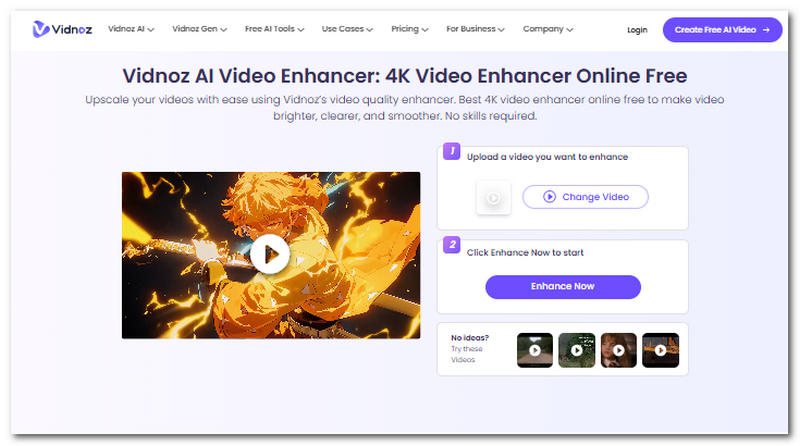
Vidnoz 4K video upscaler tool is another cloud-based tool that uses AI to upscale video in a one-click function, perform automatic video frame color correction and adjustment, as well as video noise reduction to showcase the video file details.
Pros
- It is capable of bulk processing multiple videos in one go.
- It has a decent speed in processing and upscaling video files.
- Easy-to-use tool.
Cons
- It has a limited video file size upload limit.
- It has limited export file formats.
Part 3. FAQs about AI 4K Video Upscaler Online
Can I convert a low-resolution video to 4K online?
Yes, users can convert their low-resolution video to 4K or higher using a video enhancer app. What it does to the video is that it uses AI to analyze the video frame-by-frame and apply adjustments based on the AI, like sharpening the video, removing video noise, color correction and more.
What video formats are commonly supported?
The majority of online AI video upscaler tools support universal or popular video file formats like MP4, MOV, Web, AVI, and MKV. Others offer wider reach outside of popular video file formats to ensure versatility and compatibility across different types of video file formats.
How long does AI video upscaling take?
It depends on the tools that the user is using for upscaling or enhancing their video file. Some offer instantaneous and automatic video upscaling, while others do it manually; most importantly, the one thing that has an effect on the speed of the process when upscaling a video is the AI that is integrated within the tool.
Conclusion
In this guide, readers have discovered five online 4K AI video upscaler tools that they can use for their video uspcaling needs, as this guide not only listed them but also provided a quick comparison chart, review and an overview of each tool, as well as their pros and cons, to ensure that users have the basic information on each tool prior to deciding what the perfect tool they need is. Hence, in deciding the best 4K video upscaler tool, it will really depend on the user's preferences, whether they want a more straightforward tool or a more functional one; hence, users are free to try and test each tool to fully find their ideal video upscaler tool for their low-resolution video.

- Upscale videos to 4K/8K with AI.
- Increase FPS for smoother videos.
- Colorize B&W old recordings.
- Brighten the low-lit footage.
- Remove noise with details retained.