Not sure which video enhancer app to pick? Here is our quick verdict at a glance:
Best Overall AI Upscaler: Topaz Video Enhance AI — Unmatched 8K upscaling quality, best for restoring old footage Best Professional Editor: Adobe Premiere Pro — Full creative control for video professionals Best Mobile Editor: CapCut — Free, AI-powered, available on both Android and iOS Best Budget Desktop Tool: VidHex Video Enhancer — AI-level quality at a fraction of the price Best Social Media Tool: CyberLink PowerDirector — Balanced editing and enhancement for content creators
The capabilities of AI software have improved over the years to provide practical support for multimedia-related works. Among these modern programs, video enhancer apps are the most supported since AI can improve media sharpness, quality, and texture in a snap. In this article, we will provide six of the best video enhancer apps across multiple platforms, ranging from AI-powered options to traditional video editor software.
To give you an honest, data-driven recommendation, we tested each video enhancer app across five key criteria:
Test Setup: We used a Dell XPS 15 (i7-13700H, 32GB RAM, NVIDIA RTX 4060) for desktop testing and an iPhone 17 Pro + Samsung Galaxy S24 for mobile testing.
Test Footage:
1. A 10-year-old 480p home video with noticeable noise and low image quality
2. A 1080p vlog recorded with motion blur caused by handheld camera movement
3. A 720p gaming recording at 30 fps
Test Factors:
Upscaling quality — How well the tool improves resolution and restores details
Processing speed — How quickly videos can be enhanced and exported
Ease of use — Whether the software is simple to set up and operate
AI capabilities — The effectiveness of AI features such as detail recovery, noise reduction, and enhancement
Part 1. How to Choose the Right Video Enhancer App
Before diving into the reviews, here is what you should consider when choosing a video enhancer app:
1. AI vs Manual Enhancement
AI-powered tools (Topaz, VidHex) work automatically — great for quick results with minimal effort. Manual editors (Premiere Pro) give you pixel-level control but require skill. Choose based on your comfort with video editing.
2. Desktop vs Mobile
Desktop tools (Topaz, Premiere Pro, VidHex) deliver significantly better quality thanks to GPU acceleration. Mobile apps (CapCut, VideoShop) are convenient for quick social media edits but lack advanced upscaling.
3. Budget
Free options work for casual enhancements. Paid tools range from one-time purchases to subscriptions.
4. Output Quality Needed
Need 4K or 8K upscaling? Go with Topaz or Adobe. Just want to clean up mobile footage? CapCut or CyberLink will do the job.
5. Learning Curve
Capcut and VidHex offer the gentlest learning curves. Premiere Pro and Topaz require significant time investment to master.
Part 2. Comparison Table — 5 Best Video Enhancer Apps in 2026
For a quick comparison of each tool, please read the table below. The measurements used in this table are selected based on the key elements that one must consider when choosing a video enhancer app.
Part 3. In-Depth Reviews of the 5 Best Video Enhancer Apps
Topaz Video Enhance AI
RATINGS
4.0 / 5.0
Trustpilot
Best for: Professionals restoring old footage, filmmakers needing 8K upscaling
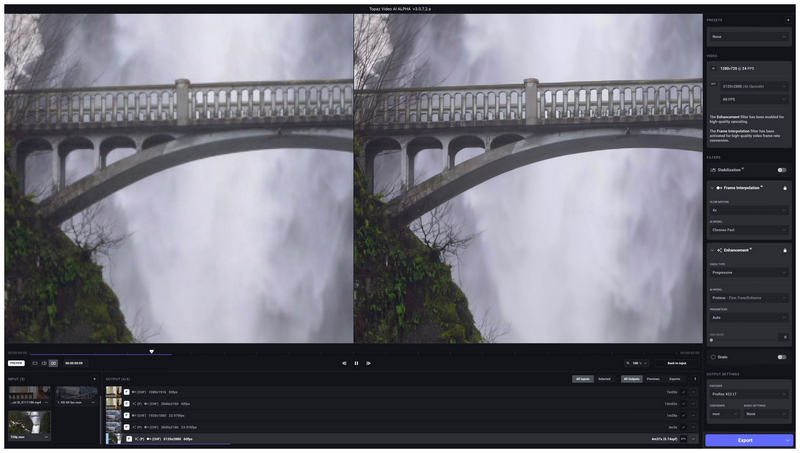
Among the programs featured in this article, Topaz Video Enhance AI is the one with the richest AI features when it comes to apps to enhance video quality. The tool is capable of upscaling video resolutions up to the hyper-modern 8K quality.
Unfortunately, it is also the most demanding in terms of hardware resources and the most expensive option among the bunch. It is one of the best AI enhancer tools in the market, but it comes with a price.
Best for: Professional video editors, YouTubers, filmmakers who need full creative control
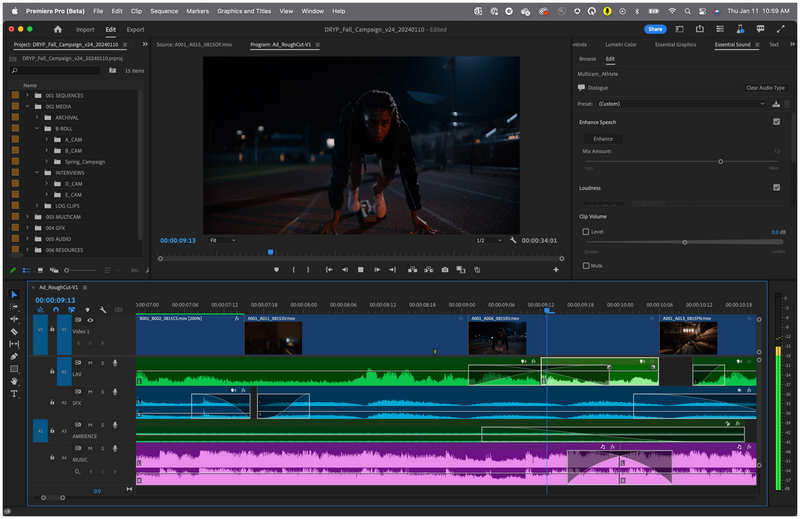
Moving forward to traditional video editors, Adobe Premiere Pro is the go-to option for professional video editing. Because of this background, the tool is also capable of adding video enhancement adjustments to its users. However, they are often manually added instead of being AI-supported, much like the previous tools.
Although harder to use, Adobe Premiere Pro is the number one option in terms of skill expression and adjustment potential. However, its technical nature makes it suboptimal for beginners.
Pros
Professional-grade editor.
Optional AI-powered features.
Adobe software integration.
Cons
Steep learning curve.
Adobe only provides expensive subscriptions.
CyberLink PowerDirector
RATINGS
3.5 / 5.0
Trustpilot
Best for: Intermediate users wanting AI enhancement with manual editing at an affordable price.
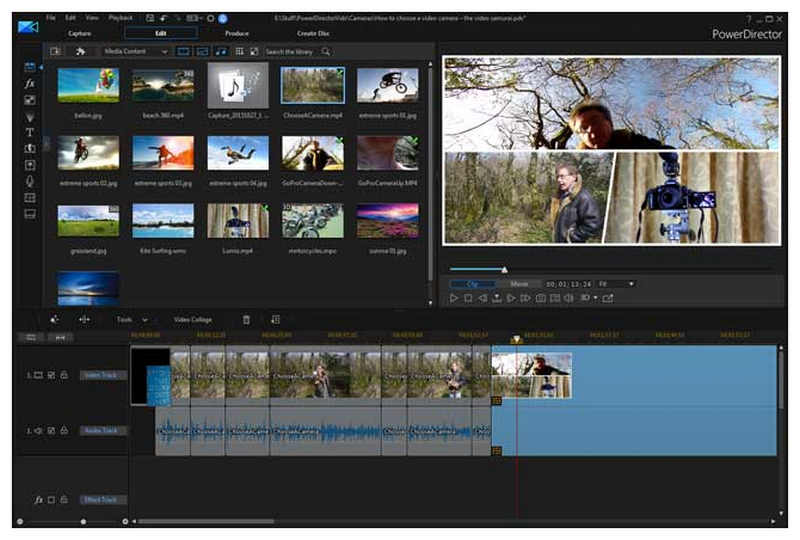
Staying on the trend for traditional video editors, CyberLink PowerDirector is another viable option. Unlike the previous tool featured, this option is much more balanced when it comes to video enhancement and editing capabilities. It is also AI-supported for most video enhancement options like color correction and background removal.
In terms of simplicity, this tool may be considered the more accessible version of Premiere Pro.
Pros
Balanced video enhancement and editing features.
AI-supported color correction, background removal, and other enhancements.
Efficient rendering speed.
Cons
Advanced AI features require premium upgrades.
Subpar color grading performance.
VideoShop Video Editor
RATINGS
2.5 / 5.0
Trustpilot
Best for: Mobile users who need quick and simple video edits.
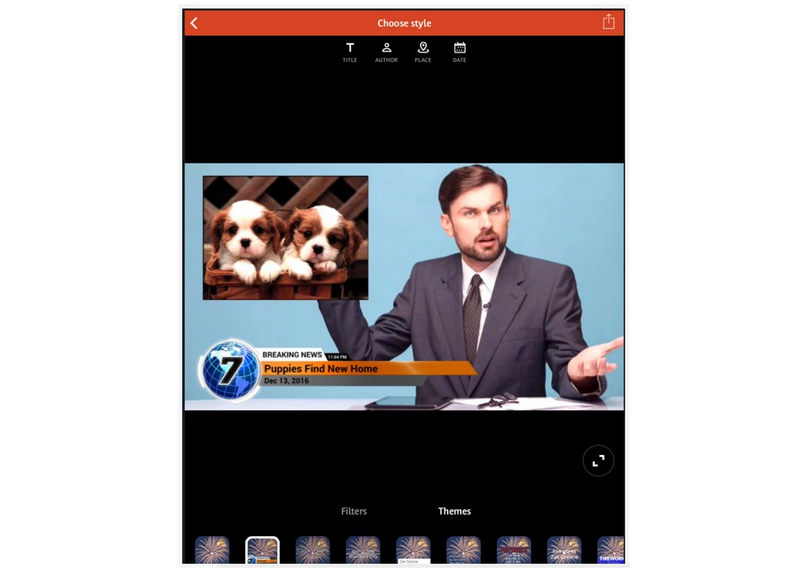
With both computer-based options now discussed, let us now proceed to mobile-based video editors that can also function as a video cleaner app. VideoShop Video Editor is a video editor available for both Android and iOS that can add video editing works to media files while adding minor video enhancement.
Although easy to use and lightweight, the features of VideoShop Video Editor when it comes to quality enhancement are severely limited. It can only provide basic additions like color filters and adjustments.
Pros
Easy to use and highly efficient.
Designed for social media content.
Cons
Lacks AI-supported enhancements.
Limited video quality features.
CapCut
RATINGS
4.0 / 5.0
Trustpilot
Best for: TikTok, Reels, and YouTube Shorts creators on a budget.
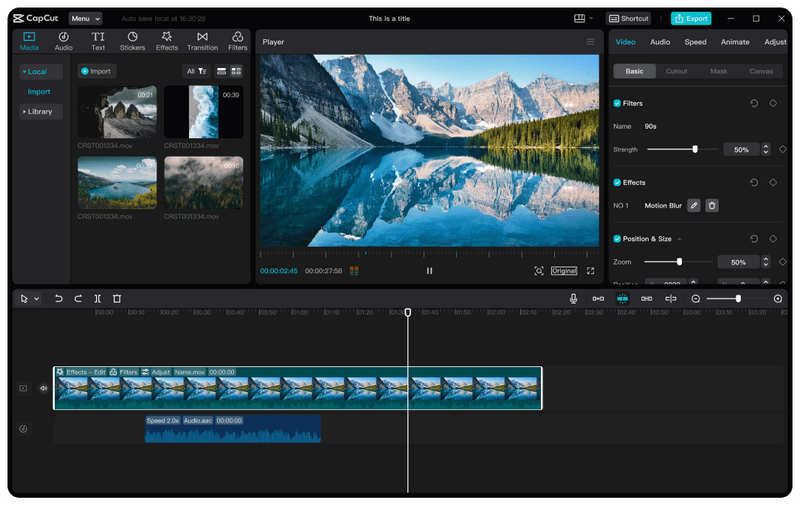
Finally, the last tool in this article will be CapCut video enhance and editor, the best mobile-based video editor that can provide video enhancement options to media files edited in it. This tool is equipped with filters provided within the software itself that can enhance the quality of videos within a few clicks.
Although CapCut is superb in terms of video quality enhancement, be mindful since the tool is plagued with ads and watermarks on edited videos.
Pros
Cross-platform availability on computers and mobile devices.
Processes videos up to 4K and UHD quality.
Cons
Not advisable for professional video production.
Watermarks are rampant in videos processed by it.
Part 4. Bonus — VidHex Video Enhancer — Best Desktop Value Pick
Best for: Desktop users who want near-AI quality enhancement without the premium price tag
Now that we are done highlighting the most popular video enhancer apps across different platforms, let us now proceed to highlighting VidHex Video Enhancer, the best video enhancer option for desktop computers.
Capable of applying general video quality enhancement, the program is equipped with features designed to improve video clarity, sharpness, texture, and remove blurring on videos enhanced in it. These features alone are perfect for providing video quality restoration and upscaling videos from SDR to HDR quality.
Moreover, video denoising and color enhancement are also available in the software. These are all optimal for providing practical improvement to media files edited in it without relying on heavy AI-enhancement.
With these features in mind, VidHex Video Enhancer makes it one of the best AI tools in the market.
To learn more about the program, make sure to download it using the link below and continue reading the article to learn the step-by-step process of improving video quality in the software.
Step 1. Open VidHex Video Enhancer and select the Folder button on the upper section of the program’s menu. You may also click and drag the video you want to enhance in the same section to easily add it.
Step 2. Once the video has been added, simply choose among the AI Models available in the program based on the video that you are enhancing. After choosing, select Export Now under the models.
Step 3. After selecting Export Now, the program will work automatically, applying the AI model you selected to improve the video you imported into the program. Wait for the process to finish.
Among the AI models and video enhancement options available in the tool, Vidhex Video Enhancer makes for a great case as the best tool among both Windows and macOS computers. It can compete with Topaz AI in terms of AI capability while providing a much more beginner-friendly interface than AVCLabs.
Prefer a visual walkthrough? Watch the video below for more details.
FAQs About Video Enhancer Apps
Which video enhancer app can upscale videos to 8K?
Topaz Video Enhance AI is the only tool on this list that supports AI-powered 8K upscaling. Adobe Premiere Pro also supports 8K video editing, but improving quality usually requires more manual adjustments instead of a simple one-click enhancement.
Can I enhance video quality on my phone?
Yes. CapCut is one of the best free mobile options on both iOS and Android. CyberLink PowerDirector also provides mobile apps with advanced editing tools. You can choose anyone you want.
How long does it take to enhance a video?
Processing time varies by app and hardware. On a modern laptop: CyberLink PowerDirector (~4 min for 5-min 1080p clip), Topaz Video Enhance AI (~12 min). Mobile apps process faster on-device but with less advanced enhancement.
Conclusion
Now that we have provided our readers with the best video enhancer apps across multiple platforms, we hope that this article has proven useful in your multimedia editing journey. To learn more about the best video enhancer app for computers, make sure to download Vidhex Video Enhancer.



 VidHex — Enhance video quality with AI
 Enhance video details and clarity with AI technology and get stunning, high-quality video in any scenario.