VidHex — Enhance video quality with AI
 Enhance video details and clarity with AI technology and get stunning, high-quality video in any scenario.
5 AI Video 1080p Upscaler Tools: Overview and Pros & Cons

Video quality nowadays is as important as its context, as many users or viewers rely on the visual aspect of the video to fully and effectively grasp its context. However, one problem that hinders video context from being fully grasped by viewers is having the video appear blurry or, in some cases, being low resolution. Normally, once the video has turned into low quality or blurry, there’s no fixing it, but with today's technology, specifically the integration of AI, it makes it possible for tools to restore and recover the video quality. Using a tool to upscale video to 1080p online or via a software tool allows users to resolve and salvage their low-resolution video into a playable, crisp, and detailed video. Read more of our best-picked AI 1080p video upscaler tools in this guide for a more in-depth look at each tool’s overview, pros & cons, and more.
Contents:
Part 1. How AI Upscaling Works & Why You Need It for 1080p
AI Upscaling is the term used to refer to the process of bringing back the lost video quality in video footage by utilizing AI technology that is integrated mostly into video upscaler and enhancer tools. As with every video, when mishandled or simply uploaded on multiple platforms, it will lose some of its quality, and over time, it makes the video suffer from that blurry feel. Thus, that’s why there is a need for such a tool for preserving and easily recovering video quality loss in the video. Hence, in this section, we will list some reasons why you need a 1080p video upscaler tool for your convenience.
• Easy access to tools that can improve your video clarity in no time.
• Easily removes and reduces video noise and grain.
• Gives the video color more life without looking overprocessed.
• Minimizes the presence of pixelation and blurriness in the video frames.
• Performs automatic enhancement without manual intervention by the users.
• Utilizes AI to save time and resources when resolving video quality problems.
Part 2. Top Pick: AI Video Upscaler 1080p
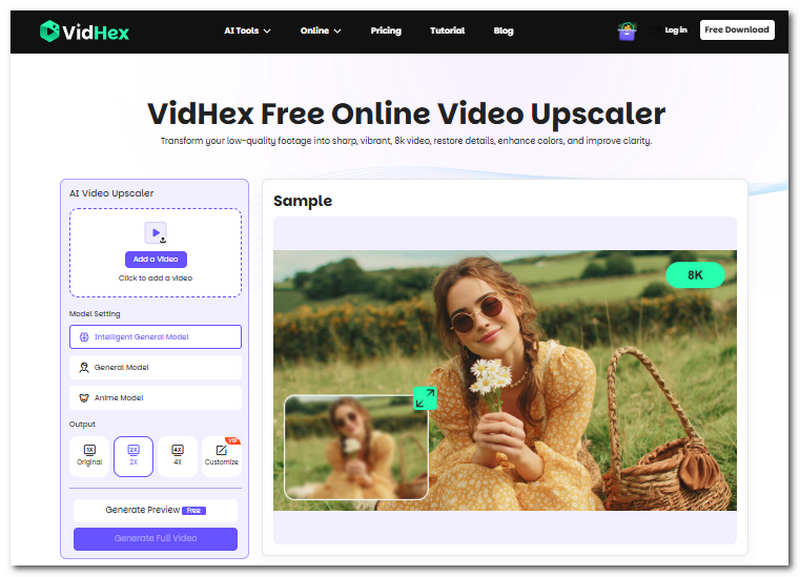
For our top-picked AI video upscaler at 1080p resolution, we find VidHex Free Online Video Upscaler the most convenient and accessible tool to use whether a user is looking for an instantaneous result or has several options for fine-tuning the video upscaling strength of the tool without making its usage complicated and overwhelming.
Pros
- Easy to navigate around the tool.
- Guaranteed to work video upscaler tool.
- AI -powered video upscaler tool.
- Customizable video output resolution quality.
- It has a variety of AI models to use.
- Produces crisp detail and vibrant video quality.
Cons
- Requires stable internet connectivity in order to be able to use and function well.
Part 3. Top 4 Other AI Video Upscalers Online
Media.io Video Enhancer
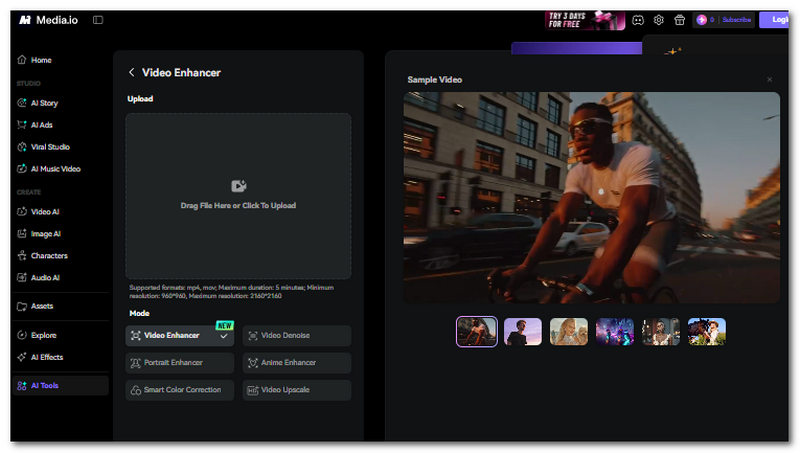
Media.io is a web-based 1080p AI video enhancer app tool that offers multiple AI models to use for targeting various video enhancements needed by users. This versatility allows the tool to enhance not only the video quality but also to target video color vibrancy and details in the video, which allows the video to be upscaled up to 4x in quality.
Pros
- It is an AI-powered tool with multiple AI models to use.
- Guaranteed to work as an AI video enhancer tool for users.
- Easy-to-use.
- It has multi-modal video editing for flexible and quick video adjustment.
Cons
- It uses a credit-based system for upscaling the video.
- It does not support previewing the result before exporting the video.
- It only supports MP4 and MOV video file formats to be enhanced in the tool.
Vmake AI Video Enhancer
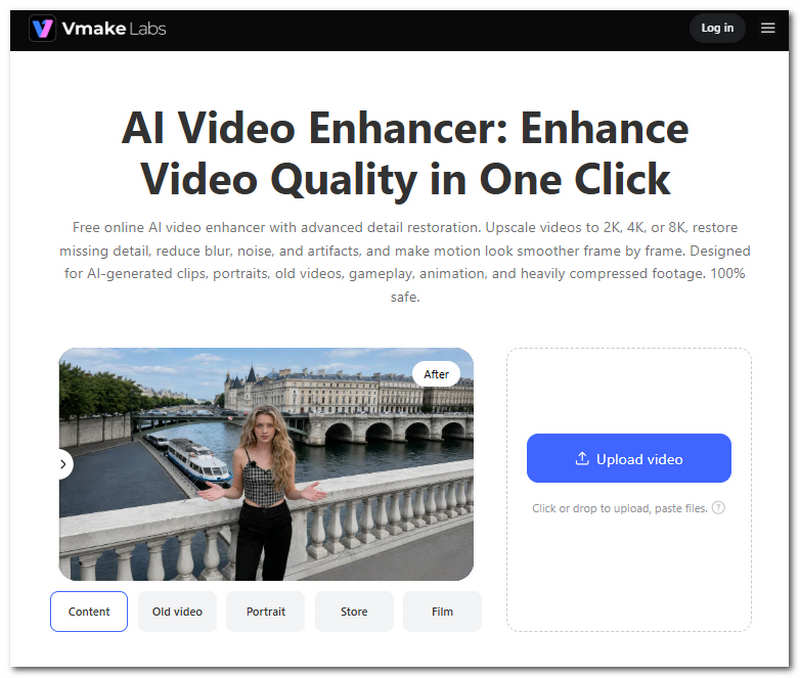
Vmake AI Video Enhancer tool is also a reliable and can be of use type of video enhancer tool for users, as it can process and almost upscale a video in one click. It is capable of upscaling 1080p to 4K quality, and it offers a variety of AI models to use for better video enhancing thanks to the AI that is integrated into the tool.
Pros
- Capable of handling multiple video files and processing them altogether.
- It has access to multiple AI models.
- It has a wide range of video file support.
Cons
- It uses a credit-based system for upscaling the video.
- It comes with limited video file size upload.
- It lacks manual controls and other options for refining the video quality.
AVCLabs Online AI Video Enhancer
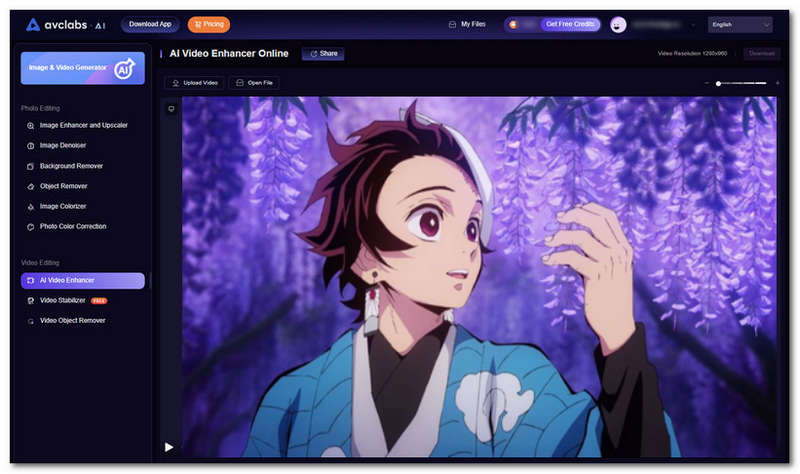
AVCLabs Video Enhancer AI is another web-based 1080p AI video enhancer tool that is known for its impressive facial enhancement and utilizes AI and deep learning tools to seamlessly upscale any type of video quality to HD and even to 4K video resolution. This tool is great at targeting video noise, improving video motion, and giving a boost to the video color.
Pros
- Exceptional facial video enhancement capability.
- AI-powered denoising and sharpening functionality.
Cons
- It uses a credit-based system for upscaling the video.
- Rendering higher quality videos will make the performance of the tool slower.
- The free tier comes with watermarks in the video.
Cutout Pro
Cutout Pro is among those online tools that are premium ones with impressive capability and potential in fixing and enhancing a low-quality video. This tool allows its users to have access to basic video enhancement functions, as it focuses more on bringing the convenience of fast video enhancement to the video file.
Pros
- It supports video and GIF file upscaling and enhancement.
- It has an intuitive and very easy-to-navigate user interface.
- Fast processing 1080p video enhancer online tool.
Cons
- Premium-based tool.
- It lacks some AI upscaling models and functionality for video enhancement.
- It requires stable internet connectivity to be able to properly enhance a video file.
Part 4. FAQs about AI Video 1080p Upscaler
What is an AI Video 1080p Upscaler?
An AI video 1080p upscaler tool can be a software or web-based tool that utilizes AI technology to further improve a low-resolution video quality with precision and utmost accuracy to a higher quality, where it can analyze the video frame by frame and apply the enhancement on each frame effectively.
Can AI really improve video quality to 1080p?
Yes, AI can improve video quality ultimately, as it analyzes the low-resolution video and automatically adjusts and applies changes to it, like enhancing the quality, applying some color boost, removing noise, and making the video frames clearer.
What video resolutions can be upscaled to 1080p?
Video resolutions that can be upscaled, or at least turned into 1080p video quality, include 420p, 360p, 480p, and 720p, which are all lower or inferior to 1080p quality.
Conclusion
In this guide, users have learned that having a tool to improve video quality is not a privilege, but rather achievable for all users, as many tools can be used for resolving low-quality video resolution. It is important to have access to a tool that is reliable and guaranteed to show results. This guide not only discusses what AI video 1080p upscaling is but also lists some usable tools, each of which has different strengths and weaknesses that complement one another to ensure that users have all the information on what to expect when they decide to use the tool for their video enhancement needs.

- Upscale videos to 4K/8K with AI.
- Increase FPS for smoother videos.
- Colorize B&W old recordings.
- Brighten the low-lit footage.
- Remove noise with details retained.