


 VidHex — Enhance video quality with AI
 Upscale video to HD/4K with AI technology with no quality loss and enhance detail and sharpness.
AVCLabs Online Video Upscaler Review, How-to-Use, & More

Do you deal with video files daily? Whether for personal or professional use, it can be said that a video is an effective form of media file where one can store moving images as a context for either sharing on the internet or simply preserving a moment. But to fully enjoy video playback, it should be viewable, with crisp details and colors. Thus, dealing with a low-resolution or blurry video is not something enjoyable to watch; hence, a solution that a user may use to save and resolve a video quality problem is to use a tool that allows the video to recover missing details, remove noise and grain, and improve the overall video color and quality by using a third-party online tool like the AVCLabs AI online video enhancer tool. This article also gives users a comprehensive guide to using an AI online video upscaler tool, including how to use it, its pros and cons and an alternative tool for seamless video upscaling.
Contents:
AVCLabs Online Video Upscaler Review
AVCLabs Video Upscaler Tool is an online tool designed to enhance and upscale low-quality videos. AVCLabs' AI makes this possible by upscaling an SD video to 1080p or higher while sharpening every frame and reducing blur and dull colors. In addition, AVCLabs has managed to integrate multiple enhancement and upscaling functions when the video is automatically processed in the tool, such as removing some of the unwanted artifacts in the video, and it can also be used to remove some video noise and grain. And to make things more interesting, AVCLabs can also generate frame interpolation between the video frames to ensure that not only is the video high quality, but it is also paired with smoother video playback.
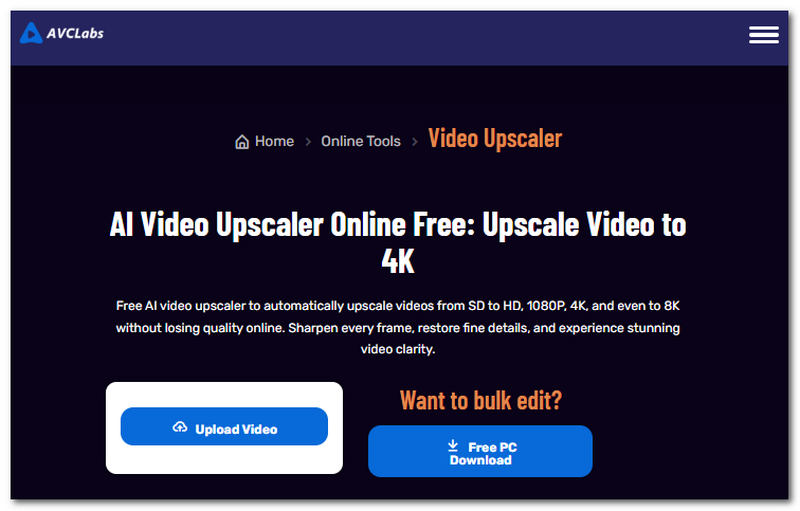
How AVCLabs Online Video Upscaler works: just like other similar tools, an online tool is accessible via a webpage visit, and from there users can just upload their video file to the webpage and, upon clicking a button, the tool will automatically analyze and process the video for upscaling.
How to Use AVCLabs Online Video Upscaler
Here's how to upscale a video using AVCLabs Online Video Upscaler:
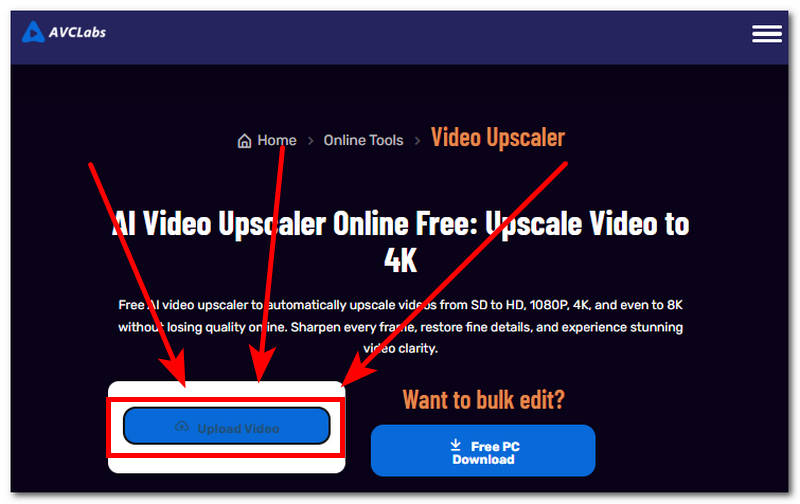
Step 1. Go to the AVCLabs Online Video Upscaler website and click Upload Video to upload the video you want to upscale.
Step 2. After you upload your video file, the tool will automatically process and upscale it. Simply wait for the tool to finish upscaling, then download your video externally to your device.
Pros
- Allows video export quality up to 4K and 8K resolution export.
- It has a very straightforward user interface.
- It uses AI with multiple AI models for video upscaling.
- It is capable of applying AI color restoration and colorization on the video.
- It has excellent face details enhancement and recovery features.
- Decent video restoration quality.
Cons
- It has a relatively slower video processing speed.
- It will require users to create or sign in account before they can proceed with using the tool.
- The free tier puts watermarked in the exported video result.
Best Alternative: VidHex Free Online Video Upscaler
Another option to consider when looking for online video upscaler tools is the VidHex Free Online Video Upscaler. This tool is comparable to the AVCLabs Online Video Upscaler, as both offer a straightforward webpage interface that novices can navigate easily when upscaling a video. Beyond usability, VidHex offers more tools and customization options for users to experiment with to improve upscaling results, something AVCLabs lacks. Furthermore, VidHex sets itself apart from AVCLabs by giving users more freedom and control, offering various customization options to adjust tool settings when upscaling a video, whereas AVCLabs focuses on delivering an immediate, high-quality result.
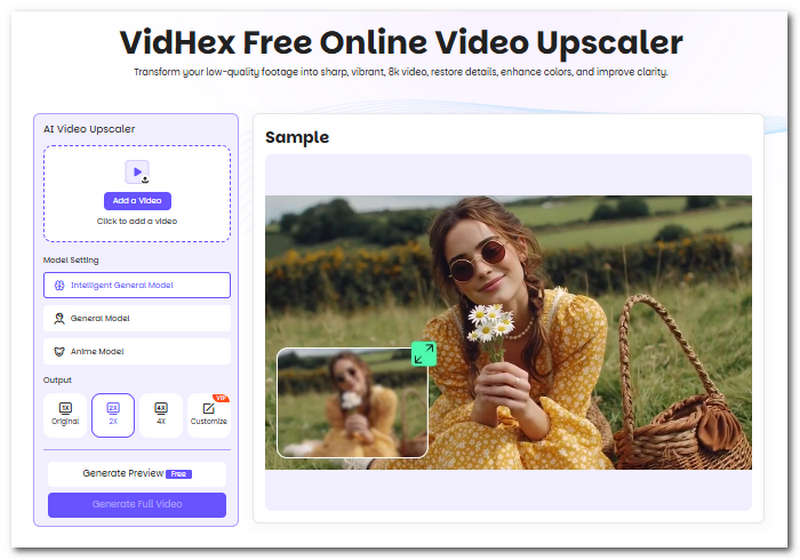
Key Features
• Refines and recovers the missing details in the video.
• Performs automatic adjustments to sharpen video details without losing original video elements.
• It is capable of removing video grain.
• It is one of the best AI video upscalers to upscale video footage.
• It provides color correction and color boost to the video.
• It does not overprocess the upscaling of the video.
• Removes annoying light flickers in video footage.
• Capable of brightening video while also reducing the presence of video noise.
• It is capable of exporting low-quality videos into 4K resolution.
Comparison Chart
In this section, we'll compare AVCLabs and VidHex to help users decide which tool is right for them. Read the AVCLabs AI Video Upscaler and VidHex Video Upscaler comparison chart for more detail on availability, AI models, and output resolution to help you choose the right tool.
| Features | AVCLabs | VidHex |
|---|---|---|
| Platforms Availability | Web-based & Software-based | Web-based & Software-based |
| Ease of Use | Straightforward tool and user-friendly | Very beginner-friendly tool |
| AI Model Available | None | General Model, Anime Model, Intelligent General Model |
| Output Resolution Support | Up to 4K export | Up to 8K export |
FAQs about AVCLabs Online AI Video Upscaler
Is AVCLabs Online Video Upscaler free?
No, the AVCLabs Online Video Upscaler tool does not come free of charge rather, it uses a credit-based system where it gives out free credits for first-time users to experience and use the tool without any complications and hidden charges.
What video formats does AVCLabs support?
AVCLabs supports most universal and popular video formats, such as MP4, AVI, MOV, MKV, WMV, WebM, MTS, FLV, and more.
Can it improve blurry videos?
Yes, AI video upscalers like AVCLabs and VidHex use AI to improve video quality, detail, color, and even reduce blur.
Conclusion
AVCLabs AI Online Video Enhancer is usable and among the tools available for straightforward video upscaling needs. As AVCLabs provides a tool for convenient use, it is also important to consider the features and functions a video upscaler tool offers, and if that is the case for you, this guide also has your back, as this guide featured an alternative video upscaling tool, VidHex, similar to AVCLabs but excels in giving more customization options to users for fine-tuning the strength of upscaling needed to be done to the video while also maintaining this easy-to-use tool. So feel free to test both tools for a more immersive experience and decide which one best fits your needs.
More Reading

- Upscale videos to 4K/8K with AI.
- Increase FPS for smoother videos.
- Colorize B&W old recordings.
- Brighten the low-lit footage.
- Remove noise with details retained.


