VidHex — Enhance video quality with AI
 Enhance video playback by increasing video frame rate by 2× and 4×, easily reach 60FPS/120 FPS.
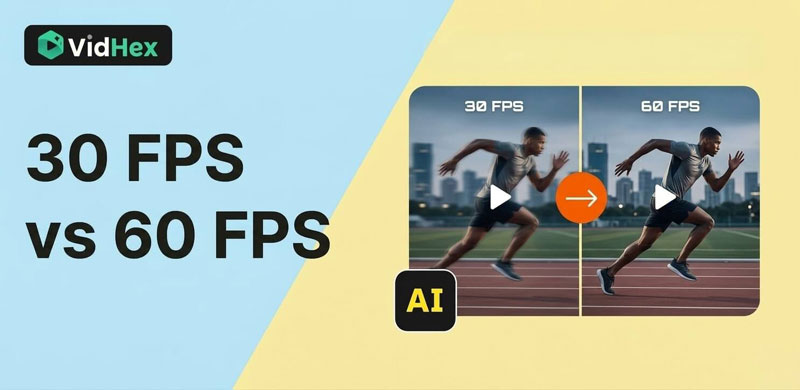
30 FPS vs. 60 FPS: Which Frame Rate Is Better?

If you work with video, you have probably heard the debate about 30 fps vs 60 fps. Many creators believe that a higher frame rate automatically means better quality. In reality, the answer is not that simple. The best frame rate depends on the type of video you are creating, how the footage will be edited, and where it will be published.
FPS stands for Frames Per Second, which describes how many individual images appear in one second of video playback. A higher frame rate shows more images every second, which usually makes motion appear smoother. However, smoother motion is not always the main goal in video production.
For video creators, choosing between 30 fps and 60 fps affects many parts of the workflow. It can influence motion clarity, file size, editing performance, and the overall visual style of the video. In this guide, we will explain the key differences between 30 fps and 60 fps, and help you decide which frame rate works best for your video production projects.
Contents:
Part 1. What Does FPS Mean in Video?
FPS, or Frames Per Second, refers to how many frames are displayed every second in a video. Each frame is a still image, and when these images are played quickly in sequence, they create the illusion of motion.
For example:
• 30 fps means 30 images appear every second.
• 60 fps means 60 images appear every second.
Because 60 fps displays twice as many frames as 30 fps, motion can appear much smoother. Fast movements, camera pans, and action scenes usually benefit from higher frame rates.
However, frame rate is not only about smoothness. It also affects how a video feels visually. Lower frame rates, such as 24 fps or 30 fps, often create a more cinematic look because they include slightly more motion blur. Higher frame rates, like 60 fps, reduce motion blur and make the image look clearer and more detailed.
Most modern cameras, editing software, and video platforms support both frame rates, so creators can choose the one that fits their project best.
Part 2. 30 FPS vs 60 FPS: Key Differences
Although the difference between 30 fps and 60 fps may seem small, it can significantly change how a video looks and performs during editing and playback.
Motion Smoothness
The most obvious difference is motion smoothness. Since 60 fps records twice as many frames per second, it captures more detail in moving objects.
This means:
• Fast movements appear smoother.
• Camera panning looks cleaner.
• Action scenes are easier to follow.
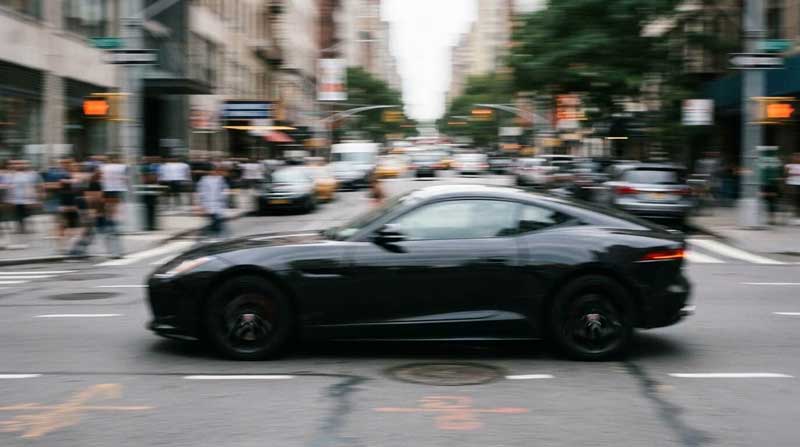
In comparison, 30 fps may show slightly more motion blur, especially during fast movement. However, this blur can sometimes create a more natural or cinematic feeling.
File Size and Bitrate
Another important difference is file size. Videos recorded at 60 fps usually require more data because they contain more frames.
As a result:
• Higher frame rates often require a higher bitrate.
• Exported video files become larger.
• Upload times may increase.
For creators working with limited storage or slower internet speeds, 30 fps can be more practical.
Editing Performance
Higher frame rates can also affect editing performance. Video editing software must process more frames when working with 60 fps footage.
This may lead to:
• slower playback in the editing timeline
• higher CPU and GPU usage
• longer rendering times
For simple editing projects or lower-end computers, 30 fps footage may provide a smoother workflow.
Visual Style
Frame rate also changes the visual style of a video.
• 30 fps often looks more cinematic and traditional.
• 60 fps looks smoother and more realistic.
The choice depends on the mood you want to create.
Part 3. Why Frame Rate Matters in Video Production?
In professional video production, frame rate is more than just a technical setting. It can influence storytelling, editing flexibility, and viewer experience.
Motion Detail
Videos that contain a lot of movement benefit from higher frame rates. For example, sports footage or action sequences often look better at 60 fps because it captures more motion information.
This helps prevent issues such as:
• motion stuttering
• blurred fast movement
• loss of detail during quick camera motion.
Slow Motion Possibilities
Another advantage of recording at 60 fps is the flexibility it offers when choosing the right frame rate for slow motion. When 60 fps footage is placed on a 30 fps timeline, it can be slowed down to half speed while still looking smooth.
This technique is commonly used for:
• cinematic B-roll
• highlight moments
• dramatic action shots.
I recorded two videos of a bouncing ball—one at 30 fps and the other at 60 fps. When both videos were slowed down to half speed, the 60 fps video was noticeably smoother.
Viewer Experience
The frame rate you choose can also affect how viewers perceive your video. Smooth motion can make videos feel more modern and polished, especially on high-refresh displays.
However, for storytelling content, some viewers still prefer the traditional look of lower frame rates.
Part 4. 30 FPS vs 60 FPS: When Should You Use Each Frame Rate?
When comparing 30 fps vs 60 fps, the main difference is how they handle motion. 30 fps is better for cinematic and storytelling videos, while 60 fps is ideal for fast motion and smoother playback.
| Frame Rate | When to Use It | Why It Works |
|---|---|---|
| 30 FPS | Interviews, documentaries, YouTube commentary, online courses, vlogs | Produces a more cinematic look, keeps file sizes smaller, and requires less processing power during editing |
| 60 FPS | Sports videos, action scenes, fast camera movement, product demos, screen recordings, tutorials | Captures smoother motion, reduces motion blur, and makes fast movement or cursor motion easier to see |
For most video production projects, 30 fps remains the standard choice because it balances visual quality, file size, and editing performance. However, if your content includes fast movement or detailed on-screen actions, recording at 60 fps can deliver a smoother viewing experience.
Part 5. How to Upscale 30 FPS to 60 FPS?
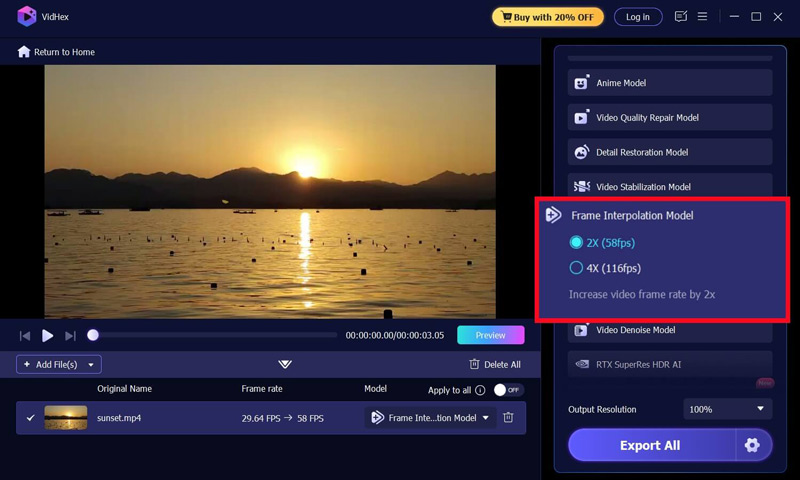
In some cases, you may already have footage recorded at 30 fps, but later decide that smoother motion would improve the viewing experience. Instead of re-recording the video, another option is to convert or upscale 30 fps to 60 fps using frame interpolation technology.
Frame interpolation works by analyzing the motion between two frames and generating new intermediate frames to create smoother playback. Modern AI-powered video enhancement tools can perform this process automatically, making it much easier to increase frame rates without complex editing.
For example, tools like VidHex Frame Interpolation use AI interpolation to add additional frames between existing ones, helping transform 30 fps footage into smoother 60 fps video. This can be especially useful for action clips, screen recordings or social media videos where smoother motion improves clarity and overall viewing quality.
Part 6. FAQs about 30 FPS & 60 FPS
Is 60 fps better than 30 fps for video?
Not necessarily. While 60 fps provides smoother motion, 30 fps often creates a more cinematic appearance. The best choice depends on the type of content you are producing.
What is the best frame rate for YouTube videos?
YouTube supports both 30 fps and 60 fps uploads. Videos with fast movement may benefit from 60 fps, but many creators still prefer 30 fps for storytelling and talking-head videos. So, the best frame rate for YouTube videos depends on the type of content you’re creating.
Can you convert a 60 fps video to 30 fps?
Yes. Most video editing software (VidHex, Adobe Premiere Pro, DaVinci, Final Cut) allows you to export 60 fps footage at 30 fps. This is also useful for creating smooth slow-motion clips during editing.
Conclusion
Choosing between 30 fps and 60 fps is an important decision for any video creator. Each frame rate has its own advantages, and neither option is universally better.
In general:
• 30 fps works best for cinematic videos, interviews, and storytelling content.
• 60 fps is better for action scenes, motion-heavy footage, and tutorials that require clear movement.
Besides the type of video, it’s also important to consider factors like your device’s storage space and processing performance. By matching the frame rate to the type of content you produce, you can achieve better results and create videos that look both professional and engaging.

- Upscale videos to 4K/8K with AI.
- Increase FPS for smoother videos.
- Colorize B&W old recordings.
- Brighten the low-lit footage.
- Remove noise with details retained.