Top 5 Free Online Video FPS Boosters to Make Your Footage Smooth
In the world of video, frame rate, the so-called FPS, is a key factor when it comes to smoothness and visual fluidity. A higher FPS means more frames per second, resulting in smooth and fluent motion that’s comfortable to watch. With this said, increasing your video’s FPS can make a better watching experience.
While professional software offers complex operations, many users often look for free online tools to get easy and fast help without downloading anything. But are these online increasers truly effective, and how do you pick the right one?
Today, we’ll explore everything about the world of video FPS increasers free online. We’re going to review some popular free options, highlight their pros and cons, and finally, show you why a dedicated AI solution like VidHex Frame Interpolation is the ultimate game-changer for achieving high-FPS video.
How We Tested These Tools
To compare the tools under different conditions, we used four videos with different formats, resolutions, and frame rates:
A 30-second MP4 (1080p, 30 FPS) of a daily vlog
15-second MOV (4K, 24 FPS) of an online movie
60-second AVI (720p, 15 FPS) of a screen recording
We test each video through all five tools using the same test setup. For every result, we compared the actual output frame rate with the advertised one, checked playback smoothness side by side with the original, recorded the processing time and output file size, and looked for common issues such as duplicated frames or unnatural motion.
Bonus: Best Frame Interpolation Software—VidHex Frame Interpolation
If you’re serious about increasing your video’s frame rate, relying solely on free online tools will quickly hit a wall. For truly smooth, natural, high-FPS results, an advanced AI frame interpolation tool is the ultimate solution. With this said, VidHex Frame Interpolation comes to help. Different from simple online converters, VidHex adopts sophisticated deep learning neural networks trained on millions of video frames to achieve genuine video enhancement.
• VidHex has a specialized frame interpolation model for professional processing.
• VidHex is an all-in-one solution that upscales, denoises, color-corrects, and blur-removes your low-FPS footage in just 1 click.
• VidHex supports high-quality output, including 4K and 8K.
• VidHex offers cloud acceleration to save your FPS-increasing time.
Step 1. Download and launch VidHex. Then, drag your footage file into the interface. You can also hit the Click or drag & drop files(s) here button.
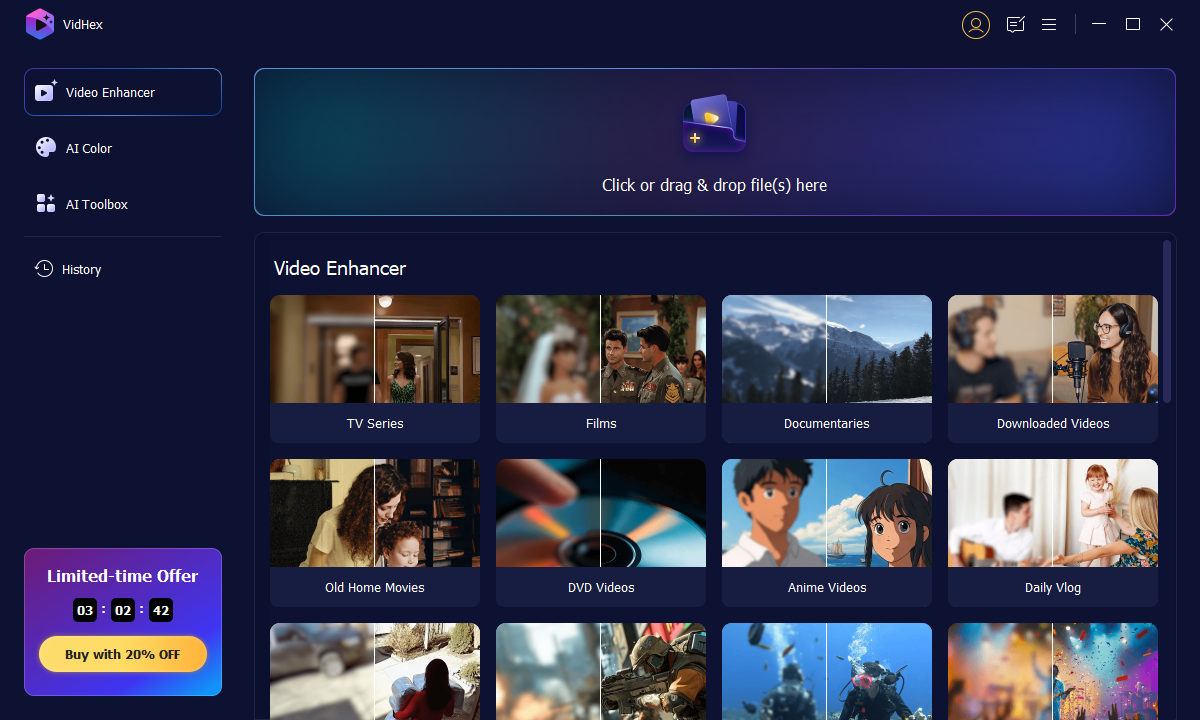
Step 2. Once your low-FPS footage is imported, select the Frame Interpolation Model and choose the 50FPS or 100FPS scale you need. Then, check the Preview window to see the result. If satisfied, click the Export Full Video to ensure your FPS increases.

Step 3. Wait for the processing for a while, or you can click Cloud Acceleration to process in the cloud.

Part 1. How to Choose a Free Online FPS Booster
Not all online tools are created equal, especially when they handle some complex tasks like frame rate conversion. When you’re searching for the right online FPS booster, keep these key factors in mind.
Interface: an intuitive and easy-to-use interface design can make your frame rate conversion easier, especially for beginners.
Format compatibility: does the converter support the input format of your video (e.g., MP4, MOV, AVI, WMV) and the same on output formats? The wider the compatibility, the more versatile the tool.
Output quality: this is the most important factor. Many free online tools use basic frame duplication or simple interpolation algorithms (like bilinear or bicubic). This just simply increases the frame count; it doesn’t create truly new frames, indeed.
Converting speed: online FPS enhancement relies on server power and your internet connection. To handle this intensive task, free online tools can sometimes be very slow, especially for longer or higher-resolution videos.
In addition, you should also note factors like file size limitations, watermark/ads, private security, etc.
Part 2. Comparison Table: Top 5 Free Online FPS Boosters
| Tool | AI Use | Best For | Free Limit | Output FPS | Max Quality |
| Ezgif.com | No | Quick GIF edits | 200MB | Same as source | 720p |
| Online-convert | No | Batch format convert | 200MB | Up to 120 FPS | 1080p |
| Kapwing | No | Team collaboration | 7min video | Same as source | 720p (free) |
| Veed.io | No | Social media content | 10min video | Same as source | 720p (free) |
| Topaz Labs Online | Yes | High-quality output | Limited trial | Up to 60 FPS | 4K |
Part 3. 5 Best Free Online Video FPS Boosters in 2026
1. Ezgif.com
Best for: Quick edits of short GIF-style clips where smooth motion isn't critical.
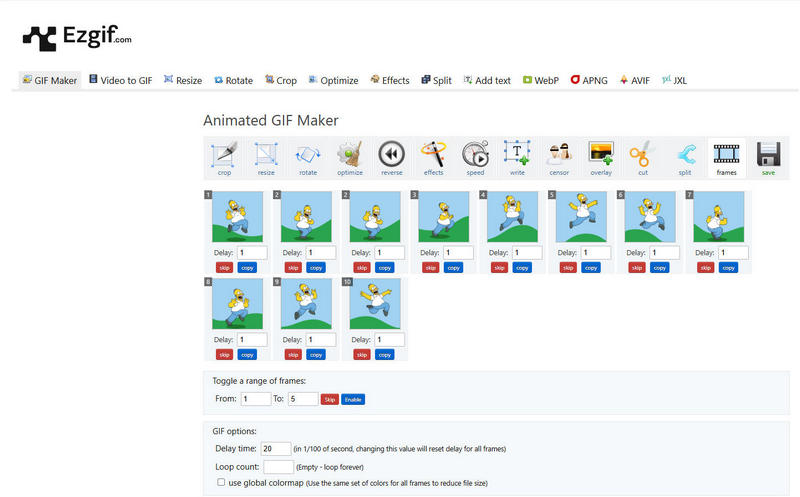
Ezgif is primarily known for its comprehensive GIF and video editing tools. Thus, it can also change the frame rate of your footage. While it doesn’t explicitly market itself as an “online FPS increaser” for smooth motion, its video-to-GIF converter allows frame rate adjustments.
Pros
- Offers relatively comprehensive editing features for GIF files and video footage.
- No other software or external devices involved.
- A simple interface design to easily find the target tool for use.
Cons
- It just copies the neighboring frame to add FPS, which is not a natural & continuous frame.
- Its FPS enhancement needs manual adjustments instead of automatic operation.
- Outdated interface design.
- It has a 200MB file size limitation for uploading.
2. Online-convert.com
Best for: Users who mainly need a video converter and only occasionally adjust frame rates.
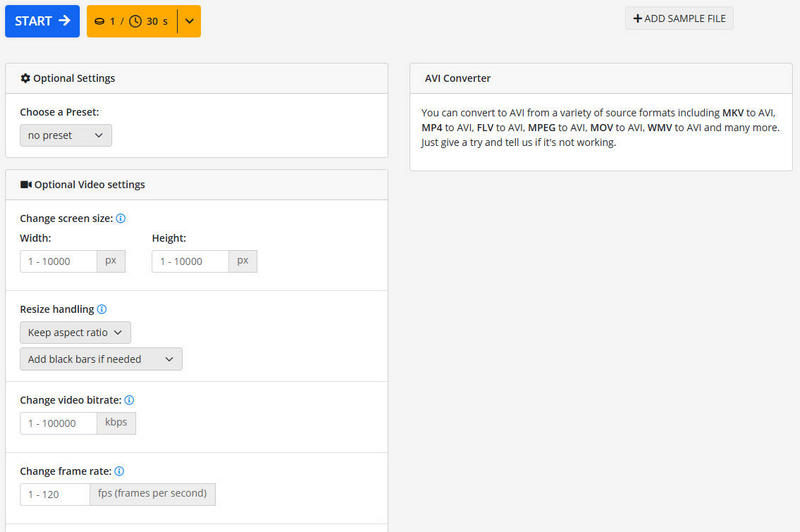
Online Converter is a widely compatible online file converter that includes video conversion with editing options for changing frame rate. It’s a general-purpose tool rather than a specialized FPS enhancer. You can choose a detailed video format like MP4 to start editing.
Pros
- A comprehensive online converter that supports files in audio, video, image, text, PDF, etc.
- Support changing the frame rate to up to 120 per second for videos in MP4, AVI, etc.
- Offer other video editing features like changing screen size, changing video bitrate, resizing, handling, etc., before exporting.
Cons
- If your original video is 30FPS and you set it to 60FPS, it might just duplicate every frame, which leads to a choppy 60FPS rather than a smooth one.
- When processing large files, the speed can be very slow.
3. Kapwing
Best for: Teams already using Kapwing for editing who need basic FPS adjustment as part of a larger project.
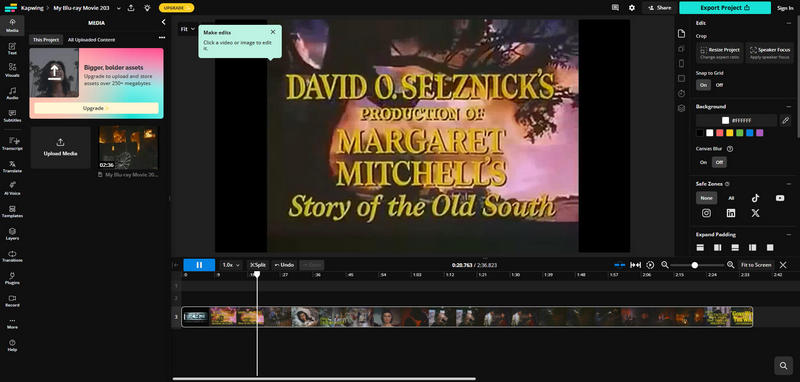
Kapwing is one of the most popular online video editors. This tool is famous for its various video editing features, including boosting FPS for video, image, and GIF. Kapwing aims to provide comprehensive and integrated video editing functionality.
Pros
- Has abundant editing tools for video and image files.
- This program is good for team projects.
Cons
- The interface may be too complex for beginners to find where the frame rate tool is.
- The free version has limitations on video length, resolution, and watermark. It requires a paid subscription for unwatermarked and high-quality output.
- Similar to the tools above, Kapwing simply duplicates frames, rather than interpolating new ones for true smoothness.
4. Veed.io
Best for: Social media creators who need FPS adjustment alongside other editing tasks in one platform.
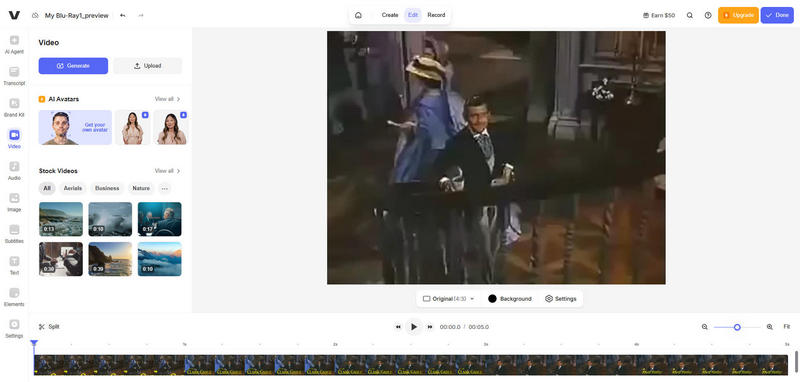
Similar to Kapwing, Veed.io is also a feature-rich online video editor. You can select from multiple designs and layouts. It's designed for quick editing and creating social media content.
Pros
- Good for social media content’s FPS enhancement.
- Modern and fashionable interface design.
- Accompanied by a great array of other video editing tools.
Cons
- The free trial has restrictive limitations on video length, resolution, and always includes a watermark.
- Requires a lot from your browser and internet connection.
- It has a relatively expensive subscription plan.
5. Topaz Labs Online
Best for: Users who care about output quality and are willing to pay for genuine AI frame interpolation.
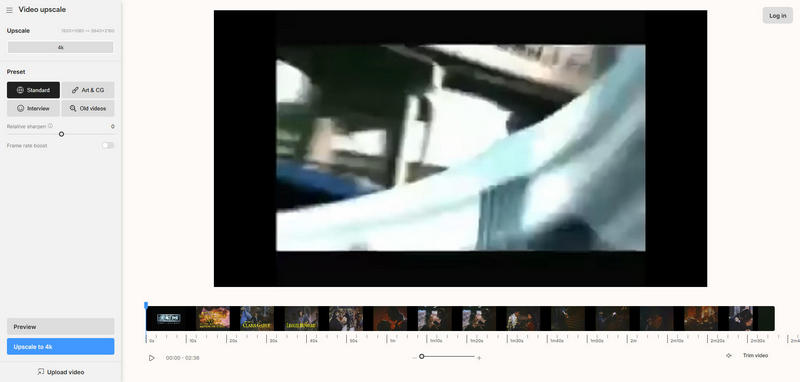
While Topaz Labs is famous for their desktop software, they also offer online tools like online free frame interpolation. Unlike the above online tools, Topaz adopts real AI algorithms for FPS enhancement.
Cons
- Lack of enough video editing tools.
- The free trial has limited functionality, and the subscription plan is relatively expensive.
FAQs About Boosting Video FPS
Can I really increase video FPS online for free?
Yes, most tools on this list are free to use up to a limit. But the catch is quality—most free tools simply duplicate existing frames rather than generating new ones. Your video will have a higher FPS number but won't actually look smoother.
Does increasing FPS reduce video quality?
It depends on which method you use. Frame copy doesn't reduce quality nor improve smoothness. AI-based frame interpolation (like VidHex or Topaz) actually creates new frames so that your video looks natural.
Frame duplication vs AI frame interpolation—what's the difference?
Frame duplication is like photocopying the same image 60 times and calling it a flip book—the number is higher but nothing new happens. AI frame interpolation analyzes two real frames and generates brand-new frames in between, creating true motion smoothness.
What's the best free online FPS booster?
If you need free and online: Veed.io has the best interface for social content; Ezgif is simplest for quick GIFs. If you need real quality: Topaz Labs Online uses AI but its free trial is limited. For professional results without limits, a desktop AI solution like VidHex is the better bet.
How many FPS can I realistically increase?
With frame-duplication tools: you can double FPS (e.g. 30→60) but the result won't be smooth. With AI tools: 30→60 or even 30→120 is achievable with genuinely smooth results, provided the tool has strong enough interpolation algorithms.
Conclusion
In this post, we shared how to pick a video FPS increaser free & online. Some of them just simply copy neighboring frames, while some of them adopt advanced AI technology. Which one is your favorite? Also, don’t forget to try our recommended VidHex Frame Interpolation. This software combines the convenience of online tools and the strength of AI technology.



 VidHex — Enhance video quality with AI
 Enhance video playback by increasing video frame rate by 2× and 4×, easily reach 60FPS/120 FPS.