

 VidHex — Enhance video quality with AI
 Enhance video details and clarity with AI technology and get stunning, high-quality video in any scenario.
5 Blurry Video Enhancer Tools: Features, Pros & Cons, & More

Videos, as a medium for conveying context, are an effective way to deliver a message, especially today when content creation is everything. That said, creating is one thing, but video quality also contributes to how viewers can effectively watch a video; thus, having blurry, low-light problems in a video is a nightmare for a content creator or simply a casual viewer. But fret not, as in this article there is now an easier and way more effective method to address and fix video quality problems by utilizing the best AI blurry video enhancers to date. Read this article to discover our top 5 video enhancer tools, with an overview, comparison chart, features, pros & cons, and more, for a full walkthrough to help you find the best tool to fix blurry videos.

Contents:
Part 1. Why Do Videos Look Blurry?
There are plenty of reasons why a video may look blurry when you play it. In this section, we'll cover common reasons a video looks blurry to help you identify solutions and fix the problem with video enhancer tools.
• Motion Blur. The video is taken with a fast-moving subject, or the camera at the time of recording is a bit shaky, resulting in blurriness or shakiness in the video.
• Compression. When a video is shared or uploaded multiple times across different platforms, it often gets heavily compressed, lowering the video quality.
• Poor Lighting. Recording in dark environments forces the camera to struggle, resulting in video noise that affects overall quality.
Part 2. How We Tested
When searching for the best AI video blur enhancer, we test each tool to confirm its claims and whether it's usable for users' video-enhancing needs. In this section, we outline our guidelines for testing and evaluating each tool.
• Usability. We tested the tool's overall usability by considering different user types, from novices to users with technical knowledge.
• Function. Another thing we consider when testing tools is, of course, their function, features, and ability to produce results. We checked its built-in features, result quality, and other features the tool offers.
• Quality. We tested the Video Enhancer tools for a week to see how it performs and to capture varied results.
Part 3. 5 Best Tools to Fix Blurry Videos Compared
| Tools | Platforms Availability | Ease of Use | Output Resolution Support |
|---|---|---|---|
| VidHex AI Video Enhancer | Software-based | Yes | Up to 8K Quality & Custom Resolution Export Support |
| Topaz Labs | Software-based | Yes | Up to 4K Quality |
| AVCLabs | Web-based & Software-based | Yes | Up to 4K Quality |
| DaVinci Resolve | Software-based | No | Up to 8K Quality & Custom Resolution Export Support |
| Kapwing | Web-Based Tool | Yes | Up to 4K Quality |
Part 4. Best Tools to Fix Blurry Video
VidHex AI Video Enhancer
Best For: Versatile and Jam-Packed Video Unblurring & Enhancer Tool
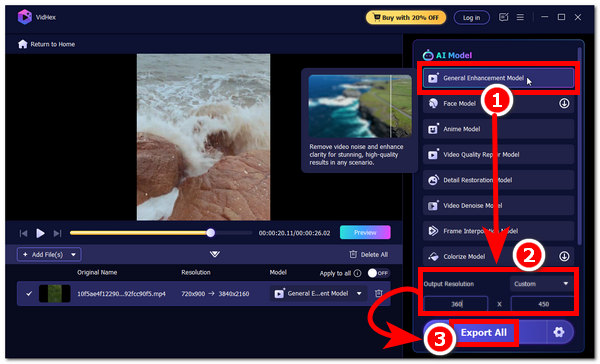
Key Features:
• Refines and recovers missing details in the video.
• Automatically adjusts to sharpen video details without losing original elements.
• Removes video grain and blur.
• An AI-powered tool to remove blur from video.
• It provides color correction and color boosting.
• It does not overprocess video upscaling.
• Removal of annoying light flickers in video footage.
• It can brighten video while reducing noise.
• It can export low-quality videos to 4K resolution.
Pros
- Easy to navigate around the tool.
- Guaranteed to work video upscaler tool.
- AI -powered video upscaler tool.
- Customizable video output resolution and quality.
- Offers a variety of AI models to choose from.
- Produces crisp detail and vibrant video quality.
Cons
- Requires stable internet connectivity to work well.
Topaz Labs
Best For: Perfect Balance Between Professional and User-Friendly Tool
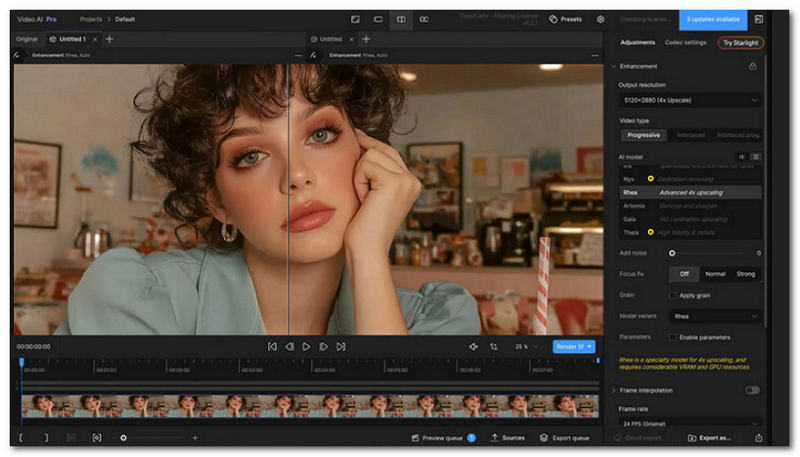
Key Features:
• Video enhancement tools.
• Automatic video frame interpolation.
• AI motion deblur and stabilization.
• Video quality upscaler tool.
• It can upscale any low-resolution video to 4K.
Pros
- Easy-to-use video blur and enhancer tool.
- Outstanding video enhancement capabilities.
- Available for desktop and online users
- High-quality output up to 4K resolution
- Restore details without making it artificial
- Real-time previews with rendered frames
Cons
- It uses a credit-based system.
- Requires stable internet connectivity.
- It may require high-end desktop hardware.
AVCLabs
Best For: Instantaneous AI Video Blur Enhancer Tool
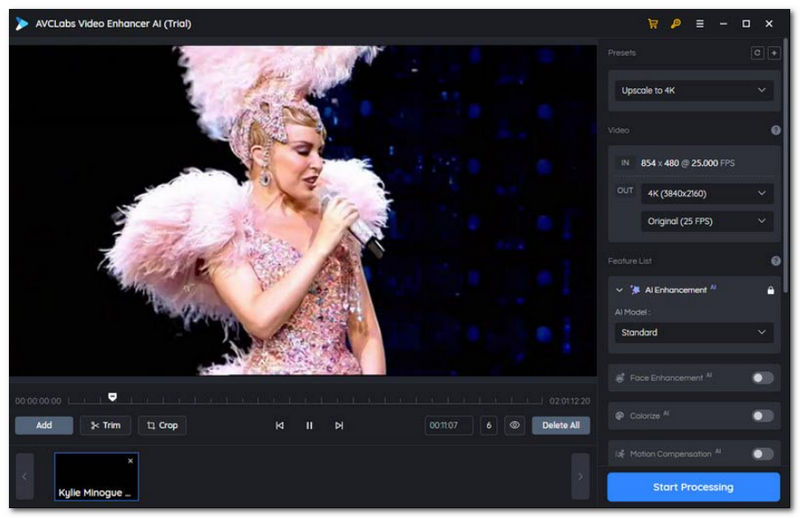
Key Features:
• AI-powered video upscaling from 1080p to 4K.
• Refine details and remove noise for smoother video.
• Noise reduction eliminates noise and graininess in videos like older media.
• Integrated AI face detection/enhancement can intelligently analyze faces and process them automatically.
• It can blur faces in videos for anonymity.
Pros
- Allows video export up to 4K and 8K resolution.
- It has a very straightforward user interface.
- It uses AI with multiple AI models for video upscaling.
- It can apply AI color restoration and colorization to video.
- It has excellent face detail enhancement and recovery features.
- Decent video restoration quality.
Cons
- It has a relatively slower video processing speed.
- It requires users to create or sign in to an account before using the tool.
- The free tier adds a watermark to the exported video.
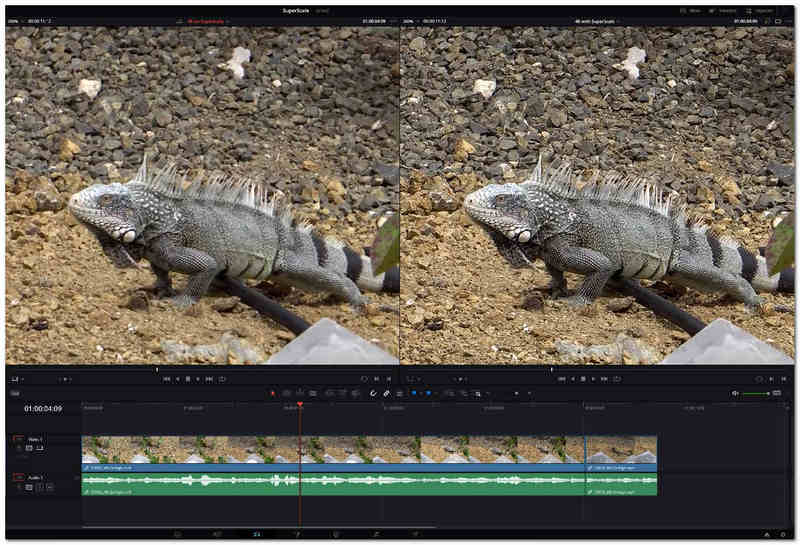
DaVinci Resolve
Best For: Professional-Grade Video Blur Enhancement Tool
Key Features:
• It uses AI as a neural engine to upscale video footage.
• Upscales videos up to 4K resolution.
• It automatically adds pixels to maintain detail and sharpness.
• Allows video cutting, trimming, and arranging.
• It offers a color correction feature to enhance and color grade video.
• Its upscaling capabilities extend to the video's audio.
Pros
- Multi-purpose video editing software.
- It has a wide array of advanced video-enhancing features.
- Professional-grade software.
- It has an active developer who provides updates.
- Fully functional and usable with other Blackmagic Design products and tools.
Cons
- Only available in the studio version (paid version) of the tool.
- Users will need time to learn the tool, as it has a steep learning curve for novices.
- The one-time purchase pricing is costly.
- Requires a powerful computer to use the software fully.
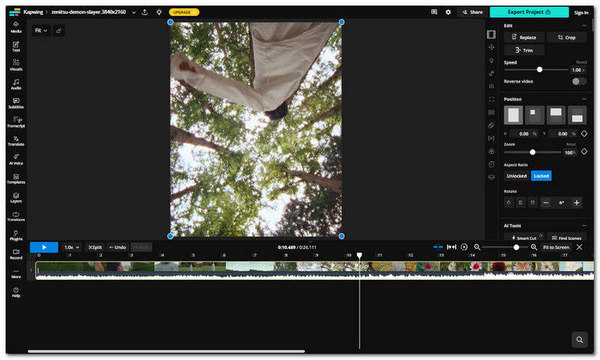
Kapwing
Best For: Advanced video color-changing and editing needs.
Key Features:
• Equipped with AI-powered tools and features.
• Lossless video export.
• Access to a library of pre-made templates.
• Accurate color changer settings and customization.
• Supports integration of plugins.
• Web-based functional video, image, and audio editing tool.
Pros
- Simple user interface.
- Offers basic to advanced customization settings.
- Integrations with AI tools.
Cons
- Limited use of features on the free version.
- Users must create an account before downloading their video file.
Part 5. FAQs about The Best Tool to Fix Blurry Videos
How to make a blurry video clear ?
To make a blurry video clear, users may need to use third-party AI tools to sharpen, denoise, and improve the overall quality of blurry videos.
Can I fix a blurry video without losing quality?
Yes, but only if users use the right, reliable tool for fixing blurry videos. If users aren’t using the right tool, they may worsen the blurriness or, worse, corrupt the video, so for a more secure and reliable way to fix blurry videos, check out our best-picked AI video enhancer tools above.
Conclusion
This article has shown that while video is an effective way to share a message with many viewers, quality plays a big role in keeping viewers engaged and helping them absorb the context. As there are many video problems that can appear in one’s video, video blur is one of those problems that can be annoying but is easy to resolve. Using an AI video blur enhancer tool can remove blurriness and improve video quality to its highest level; this article lists 5 top AI video enhancer tools, including both web-based and software-based options.

- Upscale videos to 4K/8K with AI.
- Increase FPS for smoother videos.
- Colorize B&W old recordings.
- Brighten the low-lit footage.
- Remove noise with details retained.