VidHex — Enhance video quality with AI
 Enhance video details and clarity with AI technology and get stunning, high-quality video in any scenario.
How to Make AI Skin Look Real Without the Plastic Effect

AI image and video generation has reached an impressive level. Faces look sharp, lighting feels cinematic, and details can be stunning. Yet one issue still makes many AI creations instantly recognizable: the skin looks fake. If you have ever generated a portrait and thought, "Why does this look like wax?" — you are not alone.
Making AI skin look real is one of the biggest challenges in AI image and AI video creation. The good news is that the problem is usually not the model itself. It is how skin texture, lighting, color, and motion are handled. This guide explains why AI skin looks artificial — and how to make AI skin look real in both images and videos.
Contents:
Part 1. Why AI Skin Looks Fake in the First Place?
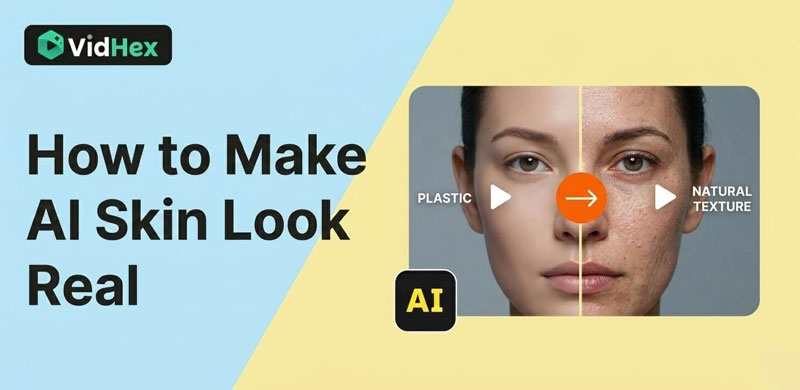
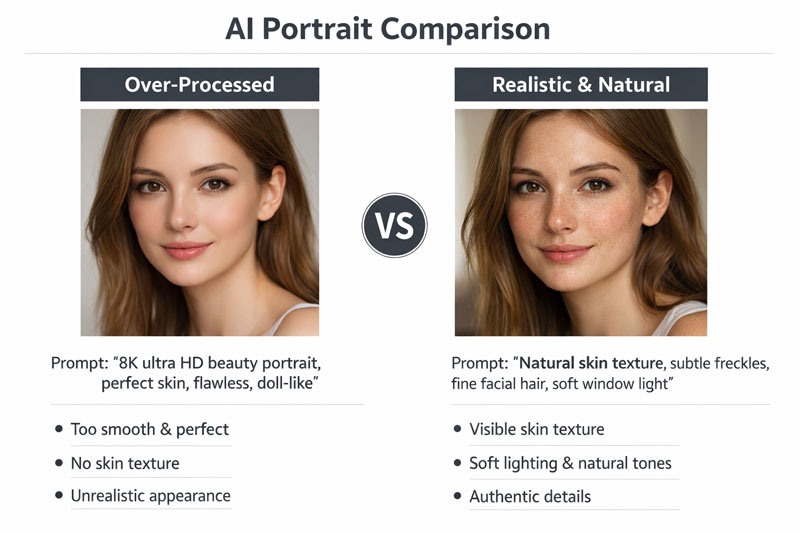
Most AI-generated skin looks unrealistic for one simple reason: it is too perfect. Real human skin contains pores, fine lines, subtle wrinkles, light discoloration, and small imperfections. Even young skin is not completely smooth. Cheeks may appear slightly red, the under-eyes slightly darker, and different parts of the face may reflect light differently. AI often removes these variations because many prompts request "flawless," "perfect," or "ultra-smooth" skin. The model interprets beauty as smoothness and deletes natural skin texture.
But realism works differently. Fixing AI skin requires controlled imperfection. When texture disappears, depth disappears. And when depth disappears, the skin starts to look like plastic. Another common issue is flat color. Real skin is never a single tone. It contains warm and cool undertones, subtle redness, and gentle transitions between areas. When AI renders skin as one uniform color, it feels synthetic — even if the resolution is high.
Therefore, we can address this issue with targeted solutions. Since the processes for AI-generated images and videos are different, I will explain the approaches for handling each scenario separately.
Part 2. How to Make AI Skin Look Real in Images?
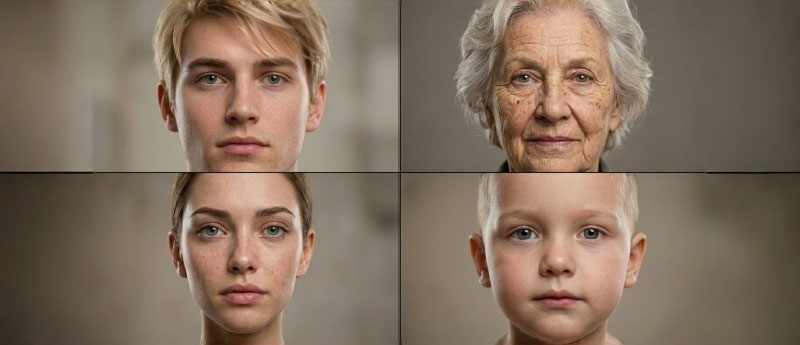
When working with AI-generated images, the key is restoring subtle detail without exaggerating it. Instead of asking for "perfect skin" or "8K ultra HD beauty portrait," guide the model toward realism. Phrases such as "natural skin texture," "fine pores," or "subtle freckles" encourage the model to preserve surface detail. Small additions like "fine facial hair" or "a little skin shine" can dramatically increase believability. These elements are often invisible at first glance, but they signal authenticity to the human eye. To further avoid the waxy look, try adding terms like 'cartoon, 3D render, doll, plastic' to your negative prompt.
Lighting also plays a major role in realistic AI skin. Flat studio lighting removes shadow depth and makes skin appear artificial. Describing natural lighting — such as "window light," "soft side lighting," or "golden hour daylight" — creates gradual shadow transitions that reveal texture gently.
Light temperature matters as well. Warm daylight enhances softness and warmth in skin tones, while cooler light can emphasize texture. Choosing natural light conditions instead of extreme studio setups makes AI portraits feel more photographic.
Color variation is another powerful adjustment. Real skin includes subtle redness in cheeks, darker areas under the eyes, and soft undertones across the face. Including phrases like "natural undertones" or "realistic color variation" helps prevent the flat, painted look that often makes AI skin appear fake.
Even after generations, small edits can help fix AI skin. Adding a slight amount of grain or noise breaks digital smoothness and makes the image feel like it came from a real camera. The adjustment should be minimal — just enough to reduce the sterile effect without making the skin look rough.
Part 3. How to Improve AI Video Skin Realism?
AI video skin realism is more complex than AI picture skin realism because motion exposes weaknesses. In current AI video generation models, the recently released SEEDance 2.0 already produces remarkably natural results. However, if you’ve used other AI tools to generate face videos and find the skin overly plastic-looking, the content below is for you.
A single frame may look convincing, but once the subject moves, texture may flicker or shift. This creates a crawling effect across the skin — one of the clearest signs of AI-generated video. To fix this, stability becomes more important than extreme sharpness. Using tools with temporal consistency features or face restoration options can help maintain consistent skin texture across frames. Slightly softer but stable skin usually looks more realistic than highly detailed but unstable rendering.
Movement intensity also affects realism. Large facial expressions or sudden head movements can distort texture and cause visible artifacts. If you are trying to make an AI video skin look real, start with subtle motion — slow head turns, natural blinking, calm speech. Reduced motion keeps the model stable and improves realism.
Lighting behavior is equally important in video. In real life, when a person turns their head, shadows shift, and highlights move across the skin. If lighting remains static in an AI video, the illusion breaks. Describing dynamic light interaction and natural shadow transitions in prompts helps maintain believable skin behavior.
If you want to enhance an AI-generated video, you can use tools to enhance face features. I recommend VidHex Video Enhancer, which is an AI skin texture enhancer and offers 11 different video enhancement models, including the Detail Restoration Model. This model can add more skin details and natural skin shading to overly smooth faces, making them look more realistic. The process is also very simple. You can download and try it for free.
Part 4. Avoid Overcorrection: Real Skin Is Still Soft
When creators try to naturalize AI skin or enhance AI skin texture, they sometimes go too far. Adding excessive pores, extreme roughness, or exaggerated color shifts can make the subject look aged or unhealthy.
Natural AI skin is about balance. Human skin has texture, but it is still smooth at a normal viewing distance. I found that when I added phrases like "subtle freckles" or "slight imperfections," the AI often exaggerated them, so precise wording is essential to avoid overly obvious flaws and reintroduce subtle complexity.
If your AI-generated portrait still feels artificial, ask yourself: Does the skin have natural variation? Does lighting create depth? Is the texture stable during movement? Most realism issues can be solved by adjusting these three areas.
Part 5. FAQs about How to Make AI Skin Look Real
Why does my AI skin still look like plastic even with "8K" in the prompt?
Ironically, terms like "8K," "Masterpiece," or "Ultra HD" often make skin look less real. These keywords push the AI to prioritize digital sharpness and "perfection," which leads to the over-smoothed, waxy look. To fix this, replace those terms with photography-focused words like "raw photo," "unretouched," or "35mm film grain."
What are the best keywords for enhancing AI skin texture?
To break the "plastic" effect, use specific texture-related keywords:
For detail: "visible pores," "skin grain," "micro-textures," or "fine facial hair."
For character: "subtle freckles," "uneven skin tone," or "light acne scars."
For physics: "natural skin shine" or "subtle sweat."
Does lighting affect how realistic the skin looks?
Yes, lighting is everything. Flat, front-facing studio light hides texture and makes skin look artificial. Side lighting (Rembrandt lighting) or natural window light creates shadows that reveal the natural bumps and pores of the skin, making it look three-dimensional and real.
Conclusion
Making AI skin look real is not about increasing resolution. It is about understanding how human skin behaves in real environments. In images, realism comes from micro texture, gentle color shifts, and natural light. In video, realism depends on stability, controlled motion, and dynamic lighting interaction. Once you stop chasing perfection and start embracing subtle imperfection, the "plastic" effect disappears. Your AI characters will no longer feel artificial — they will feel human. And that small difference is what makes viewers trust what they see.

- Upscale videos to 4K/8K with AI.
- Increase FPS for smoother videos.
- Colorize B&W old recordings.
- Brighten the low-lit footage.
- Remove noise with details retained.